| Did this page help you? Yes No Tell us about it... |
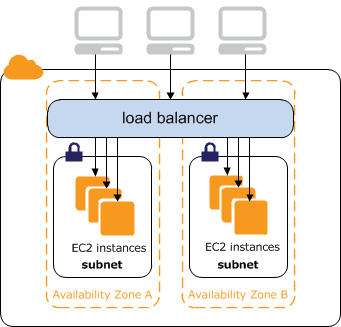
Elastic Load Balancing supports both Internet Protocol version 6 (IPv6) and Internet Protocol version 4 (IPv4). Clients can connect to your load balancer using either IPv4 or IPv6. Communication between the load balancer and its back-end instances uses only IPv4 (regardless of how the client communicates with your load balancer). This means that your back-end Amazon EC2 instances do not need native IPv6 support.
Elastic Load Balancing provides a public DNS name that combines your load balancer's name and Region. For example, a load balancer named myLB in the US-East Region might be represented by the DNS name myLB-1234567890.us-east-1.elb.amazonaws.com. This base public DNS name returns only IPv4 records.
In addition to the base public DNS name, Elastic Load Balancing provides two additional public DNS names. The first combines the string ipv6 with the name of your load balancer and Region. This might look like ipv6.myLB-1234567890.us-east-1.elb.amazonaws.com. The ipv6-prefixed DNS name returns only IPv6 records. The second public DNS name combines the string dualstack with the name of your load balancer and Region. This might look like dualstack.myLB-1234567890.us-east-1.elb.amazonaws.com. The dualstack-prefixed DNS name returns both IPv4 and IPv6 records.
Most customers will want to use the dualstack-prefixed DNS name to enable IPv6 support for their load balancers. Because the dualstack-prefixed DNS name returns both IPv6 and IPv4 records, clients are able to access the load balancer using either IPv4 or IPv6 as their individual connectivity needs dictate. The ipv6-prefixed DNS name returns only IPv6 addresses, which means that clients with only IPv4 connectivity will not be able to reach the load balancer if they use the ipv6-prefixed DNS name.
Elastic Load Balancing supports X-Forwarded-For request headers for clients that connect using either IPv4 or IPv6. If a client connects using IPv6, Elastic Load Balancing inserts the IPv6 address of the client into the request header. For more information on X-Forwarded-For support, see Terminology and Key Concepts.
Elastic Load Balancing allows you to map DNS names to your load balancer with IPv6 in much the same way as you map DNS names with IPv4. If you use a CNAME record to map your DNS name to your load balancer, you can continue to use that method. If you use an Amazon Route 53 hosted zone, you can use the same Elastic Load Balancing command to create a resource record for both IPv4 and IPv6.
![]() | Note |
|---|---|
IPv6 support is currently not available in all regions. For current IPv6 support, go to Elastic Load Balancing. |
If you use a CNAME record to map a DNS name such as www.example.com to your load balancer, you can use any of the three public DNS names as the alias in a CNAME record. For example, the following CNAME record maps www.example.com to a load balancer's IPv4 address.
www.example.com CNAME myLB-1234567890.us-east-1.elb.amazonaws.com
The following example maps www.example.com to a load balancer's IPv6 address.
www.example.com CNAME ipv6.myLB-1234567890.us-east-1.elb.amazonaws.com
To handle a mixture of IPv4 and IPv6 address resolution, use the dualstack prefix in your CNAME record.
www.example.com CNAME dualstack.myLB-1234567890.us-east-1.elb.amazonaws.com
If you use an Amazon Route 53 hosted zone to map a domain name or zone apex to your load
balancer, you can use the elb-associate-route53-hosted-zone
command to create resource records that work with IPv4, IPv6, or both.
To create an IPv4 resource record, specify the value A for the --rr-type parameter.
You can also omit this parameter because its default value is A.
elb-associate-route53-hosted-zone myLB --rr-name example.com --rr-type A --hosted-zone-id Z123456789 --weight 100
To create an IPv6 resource record, specify the value AAAA for the --rr-type parameter.
elb-associate-route53-hosted-zone myLB --rr-name example.com --rr-type AAAA --hosted-zone-id Z123456789 --weight 100
To create the equivalent of a dualstack resource record, create a resource record that specifies the value A for the
--rr-type parameter and another resource record that specifies the value AAAA.
elb-associate-route53-hosted-zone myLB --rr-name example.com --rr-type A --hosted-zone-id Z123456789 --weight 100 elb-associate-route53-hosted-zone myLB --rr-name example.com --rr-type AAAA --hosted-zone-id Z123456789 --weight 100
For more information about using Amazon Route 53 with Elastic Load Balancing, see Create a Zone Apex Alias that Points to a Load Balancer.