Amazon Simple Queue Service
Getting Started Guide (API Version 2011-10-01)
Print this pageEmail this pageGo to the ForumsView the PDFShare this page on TwitterShare this page on FacebookBookmark this page on DeliciousSubmit this page to RedditSubmit this page to DiggDid this page help you?  Yes  No   Tell us about it...

Creating a Queue

The first task in using Amazon SQS is to create one or more queues. The following examples demonstrate creation of a queue named MyQueue.

AWS Management Console

To run the sample

  1. In the AWS Management Console click Create New Queue.

    AWS Management Console Create New Queue button
  2. In the Create New Queue dialog box, enter MyQueue in the Queue Name field, and leave the default value settings for the remaining fields.

    AWS Management Console Create New Queue Dialog box
  3. Click Create Queue.

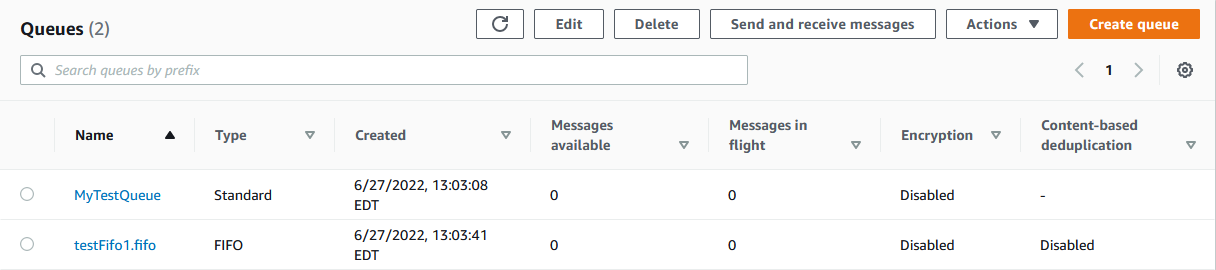
    Your new queue appears in the list of queues.

    AWS Management Console queue list

Scratchpad

To run the sample

  1. In the scratchpad, select CreateQueue from the Explore API list box.

  2. Enter MyQueue in the Queue Name field, and leave the Default Visibility Timeout field blank.

  3. Select one of the following:

    • To invoke the request, click Invoke Request. Amazon SQS returns a response.

    • To view the signed URL, click Display Signed URL. Then, copy and paste the signed URL into a browser. Amazon SQS returns a response.

    • To view the string to sign, click Display String to Sign.

Java

To run the sample

  1. Open SimpleQueueServiceSample.java.

    The following section of the code creates a queue:

    // Create a queue
    System.out.println("Creating a new SQS queue called MyQueue.\n");
    CreateQueueRequest createQueueRequest = new CreateQueueRequest().withQueueName("MyQueue");
    String myQueueUrl = sqs.createQueue(createQueueRequest).getQueueUrl();
  2. Compile and run the sample.

    The MyQueue queue is created.

C#

To run the sample

  1. Open Program.cs.

    The following section of the code creates a queue:

    //Creating a queue
    Console.WriteLine("Create a queue called MyQueue.\n");
    CreateQueueRequest sqsRequest = new CreateQueueRequest();
    sqsRequest.QueueName = "MyQueue";
    CreateQueueResponse createQueueResponse = sqs.CreateQueue(sqsRequest);
    String myQueueUrl;
    myQueueUrl = createQueueResponse.CreateQueueResult.QueueUrl;
  2. Run the sample.

    The MyQueue queue is created.

Perl

To run the sample

  1. Open CreateQueueSample.pl.

  2. Locate the following line.

    # invokeCreateQueue($service, $request);
  3. Replace the line with the following new lines of code.

    my $request = Amazon::SQS::Model::CreateQueueRequest->new({
    QueueName => "MyQueue"
    });
    invokeCreateQueue($service, $request);
  4. Run the sample.

    The MyQueue queue is created.

PHP5

To run the sample

  1. Open CreateQueueSample.php.

  2. Locate the following line.

    // invokeCreateQueue($service, $request);
  3. Replace the line with the following new lines of code.

    require_once ('Amazon/SQS/Model/CreateQueueRequest.php'); 
    $request = new Amazon_SQS_Model_CreateQueueRequest();
    $request->setQueueName('MyQueue');
    invokeCreateQueue($service, $request);
  4. Run the sample.

    The MyQueue queue is created.